

If you notice purple text in Gmail, it usually does not have one universal meaning.
Purple text can appear because of the sender’s chosen text color, an email signature, copied or quoted formatting, a Gmail theme or extension, or formatting carried over from another application.
In other words, purple text by itself isn’t a secret Gmail code or a standard message status.
The exact reason depends on where the purple text appears and how the email was created.
A purple word in the body of an email is very different from a purple contact name, label, or interface element.
Quick Answer
Purple text in Gmail usually means the text has been formatted with a purple font color or inherited purple formatting from another source. Gmail doesn’t assign a standard hidden meaning to purple words in ordinary email messages.
If you’re wondering whether purple text means an email is important, unread, suspicious, or specially marked, not necessarily. Look at the surrounding Gmail interface and the formatting of the message to determine what’s happening.
What Does Purple Text Mean in Gmail?
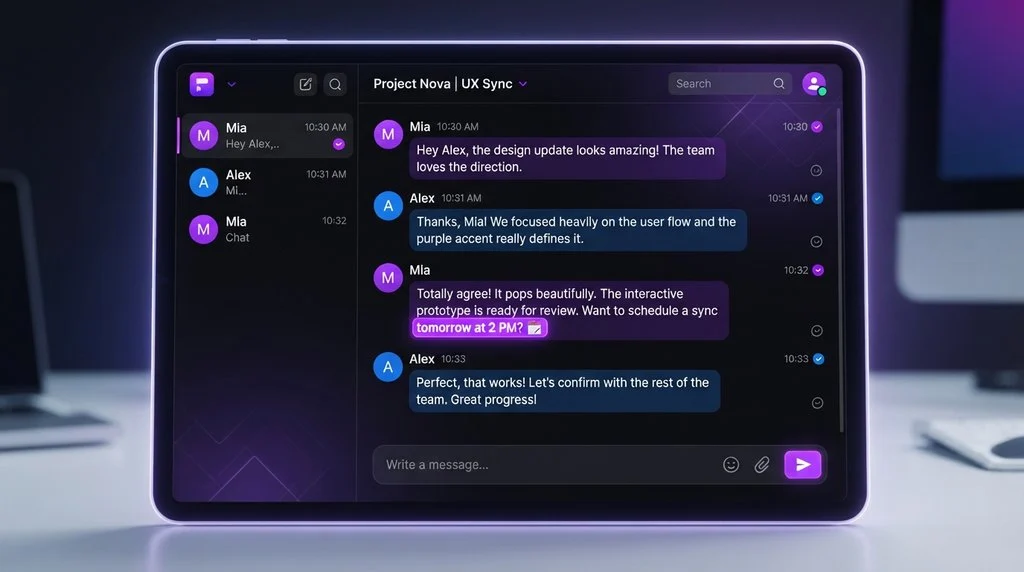
Purple text in Gmail generally refers to text displayed in a purple font inside an email or email-related area.
Unlike some Gmail indicators, such as stars, labels, or unread-message styling, font color isn’t normally a standardized status indicator. A person composing an email can choose a different font color, and purple is one of the colors that may be used.
For example, someone might write:
Hi Sam,
Just wanted to remind you about tomorrow’s meeting.
They could format “tomorrow’s meeting” in purple to make it stand out.
That doesn’t automatically mean the phrase has a special Gmail meaning. It may simply be a formatting choice.
Purple text can come from several sources:
- The sender deliberately selected purple as the font color.
- The message was copied from another document or application.
- An email signature contains purple formatting.
- A quoted or forwarded message retained its original formatting.
- An email template uses purple text.
- HTML email formatting specifies a purple font.
- A browser extension or email-related tool affects how content is displayed.
- The text belongs to a link or another formatted element that happens to appear purple.
So, before interpreting the color, it’s useful to identify where exactly the purple text appears.
Why Is Some Text Purple in Gmail?
There isn’t one explanation for every case. The location and appearance of the purple text provide important clues.
1. The sender chose purple text
This is one of the simplest explanations.
Gmail allows email authors to apply formatting to text when composing messages. If someone intentionally chooses purple, the recipient may see that text in purple.
For instance:
I’ll send the final document tonight.
The sender might make “final document” purple simply for emphasis.
There’s no hidden code behind the color.
2. The text was copied from somewhere else
Formatting can travel with copied text.
Someone may copy a paragraph from:
- Microsoft Word
- Google Docs
- a website
- an email template
- a presentation
- a newsletter editor
- another email
If the original text was purple, that formatting may remain when it is inserted into an email.
This is particularly common in professionally designed emails and newsletters.
3. An email signature uses purple
Some people create customized email signatures using colored text.
For example:
Rim/Sam
Content Writer
Website Name
The sender may use purple for their name or job title as part of their personal branding.
If you repeatedly see the same purple formatting at the bottom of someone’s emails, there’s a good chance it’s part of their signature rather than a Gmail status.
4. A forwarded email retained its formatting
Forwarded messages can contain the formatting of the original email.
Imagine Person A sends an email using purple text. Person B forwards that email to you. You may see the original purple formatting even though Person B didn’t choose the color themselves.
The color therefore tells you more about the original formatting than about the person forwarding the message.
5. A newsletter or marketing email uses branded colors
Businesses often use HTML formatting in emails.
A company may have purple as part of its visual identity and use it for:
- headings
- buttons
- links
- promotional text
- product names
- calls to action
In that situation, purple is simply part of the email’s design.
6. A Gmail feature or extension may affect what you see
If purple text appears unexpectedly across multiple messages, rather than in one particular email, the cause may not be the sender.
Browser extensions, email productivity tools, accessibility settings, themes, or other software can sometimes affect how webpages or email content appears.
If the same unusual formatting appears in many unrelated emails, troubleshooting your browser or extensions may be more useful than interpreting the color as a message from the sender.
Does Purple Text in Gmail Mean Something Special?
Usually, no.
There is no general rule that says purple text in an ordinary Gmail message means:
- “this person likes you”
- “this email is important”
- “this message is private”
- “this person is angry”
- “this email is suspicious”
- “this message is urgent”
- “this email has been read”
Those interpretations would require additional context.
A sender might personally associate purple with something meaningful, but that would be their communication style, not a universal Gmail convention.
This distinction matters because people sometimes see a colored word and assume the color itself is a coded message.
Usually, it isn’t.
Purple Text vs. Purple Gmail Interface Elements
One of the easiest ways to get confused is to treat all purple elements in Gmail as the same thing.
They’re not.
Purple text inside an email
This usually refers to font formatting chosen by the sender or inherited from another source.
A purple link
A link may appear in a different color because of the email’s HTML styling, link formatting, or browser behavior.
A purple label
If you see a colored label in Gmail, that’s an organizational feature rather than ordinary font formatting.
A colored icon or button
Interface colors can belong to Gmail’s own design or to your selected settings. They shouldn’t automatically be interpreted as part of the email’s message.
Purple text in your own draft
If you’re composing an email and the text is purple, you may have accidentally selected a font color or inherited formatting from pasted content.
The key question is therefore:
Where is the purple color appearing?
That question can often solve the mystery immediately.
Can Purple Text Mean an Email Is Important?
Not by itself.
If someone uses purple text for a particular sentence, they might be trying to emphasize it. But the sender’s intention isn’t guaranteed.
For example:
Please submit the form by Friday.
If “Friday” is purple, the sender may simply want the deadline to stand out.
But you shouldn’t assume that purple itself means “urgent.”
The meaning comes from the words, context, and surrounding formatting, not the color alone.
Does Purple Text Mean Someone Is Trying to Flirt?
Sometimes people use colors playfully in personal messages, and purple could be part of someone’s preferred style. But purple text in Gmail is not a recognized flirting signal.
If you’re trying to understand someone’s intention, look at the actual language.
Compare:
“Thanks for helping me today!”
with:
“Thanks for helping me today 😊 You seriously made my day.”
The second message may carry more personal warmth because of its wording and emoji—not simply because the text happens to be purple.
It’s risky to interpret a person’s feelings based on font color alone.
How Is Purple Text Used in Emails?
Purple formatting can serve several practical purposes.
To emphasize a word
A sender might use purple to draw attention to a specific word or phrase.
Please review the updated schedule before Monday.
For branding
A company may consistently use purple as part of its brand identity.
To separate sections
A long email may use different colors for headings and body text.
For personal style
Some people simply prefer colorful emails.
In signatures
Purple can be used for names, job titles, phone numbers, or websites.
In templates
Businesses and organizations may send messages created from templates that already contain colored text.
None of these automatically gives purple a universal symbolic meaning.
Examples of Purple Text in Gmail
Here are some realistic situations that show why context matters.
Example 1: Purple deadline
Person A:
Hi, the report is almost ready. Please send your section by Friday.
Person B:
Sure, I’ll send it tomorrow.
If “Friday” appears in purple, the most likely explanation is that the sender formatted the deadline to make it noticeable.
It doesn’t mean anything secret.
Example 2: Purple signature
Person A:
Thanks for your help with the project.
Rim/Sam
Content Writer
[Company or website]
If the sender’s name appears purple at the bottom of every email, it’s probably part of their email signature.
Example 3: Purple newsletter heading
Person A receives an email:
SPECIAL OFFER
New products are now available.
The heading and button are purple.
Here, purple is probably part of the newsletter’s visual design.
Example 4: Forwarded purple text
Person A:
Forwarding this from the team.
Original message:
Please complete the attached form.
The original message contains purple text.
The color may have been created by the original sender, not the person who forwarded it.
Example 5: Pasted formatting
Someone writes an email after copying information from a document:
Project deadline: October 15
Required files: PDF and DOCX
If some of the copied text is purple, the color may simply have come from the original document.
Does Purple Text Mean the Email Is From a Specific Person?
No.
Font color doesn’t establish who sent an email.
The sender’s identity should be determined from the From field, email address, and other relevant account information, not the color of the message text.
Someone could use purple text in an email regardless of their name, gender, organization, or location.
Is Purple Text in Gmail a Warning Sign?
Not by itself.
A purple font isn’t inherently a sign that an email is dangerous or fraudulent.
However, suspicious emails should be evaluated based on other factors, such as:
- Unexpected attachments
- Requests for passwords
- Requests for financial information
- Urgent demands
- Suspicious links
- Unusual sender addresses
- Requests to bypass normal procedures
- Messages pretending to come from organizations you know
The color of the text isn’t enough to determine whether an email is trustworthy.
What If All My Gmail Text Suddenly Looks Purple?
That’s different from receiving one email containing purple text.
If many unrelated emails suddenly display purple text, consider whether the issue is related to your browser, extensions, or display settings.
You can try:
- Open a different email.
- Check whether the same purple formatting appears.
- Open Gmail in another browser.
- Temporarily disable browser extensions.
- Check whether the problem occurs on another device.
- Check your Gmail settings and appearance-related options.
If only one sender’s emails contain purple text, the sender’s formatting is a more likely explanation.
If everything in Gmail suddenly changes color, troubleshooting the display environment makes more sense.
Does Purple Text Have a Different Meaning in Gmail Chat?
Don’t automatically apply the meaning of an email’s font color to Gmail’s chat or other communication features.
Different parts of Google’s communication tools can have different interface conventions.
If you’re asking about a particular purple element in Google Chat, it’s better to identify exactly what is purple—text, username, icon, background, status indicator, or message—and where it appears.
The visual context matters.
Is Purple Text Formal or Informal?
Purple text itself isn’t formal or informal. The context determines how appropriate it is.
For a casual personal email, colorful text may be perfectly normal.
For a business email, excessive colors can sometimes make the message look less professional, especially if several colors, fonts, and formatting styles are mixed together.
A simple professional email generally benefits from:
- Clear wording
- Consistent formatting
- Readable font size
- Limited decorative formatting
- Appropriate emphasis
Purple can still be used professionally when it is part of a company’s branding or a well-designed template.
What Does Purple Text Mean From a Girl or Guy?
If you’re asking because a girl or guy sent you an email with purple text, the color alone doesn’t tell you what they feel.
It could mean:
- They like purple.
- They use a customized signature.
- They copied the text from somewhere.
- Their email template uses purple.
- They wanted to emphasize something.
- They simply chose that color while writing.
The relationship and wording are much more informative.
For example:
“Hey, just wanted to say I really enjoyed talking with you yesterday.”
could have a warmer tone than:
“Please send the document when you have time.”
But if both messages are purple, the color doesn’t explain the difference.
Don’t use font color as proof that someone is flirting, angry, interested, or upset.
How to Remove Purple Text in Gmail
If you’re composing an email and don’t want the text to remain purple, you can usually remove the formatting using Gmail’s formatting controls.
When composing a message, look for the Formatting options and the text-color control. Depending on the current Gmail interface, you can select a different text color or clear the formatting.
If purple formatting appears after pasting text, try pasting without formatting or clearing the formatting after inserting the text.
This is especially useful when copied content brings unwanted colors, fonts, or spacing into your message.
How to Reply to an Email With Purple Text
You don’t need to mention the purple color unless it’s relevant to the conversation.
Friendly reply
Thanks! I got your message. I’ll take a look and get back to you soon.
Casual reply
Got it, thanks! I’ll check it out.
Short reply
Thanks, noted!
Professional reply
Thank you for the update. I’ll review the information and follow up shortly.
If you genuinely want to ask about the color
I noticed some of the text is purple. Is that part of your usual email formatting?
That’s clearer than assuming the color has a hidden meaning.
Common Misunderstandings About Purple Text in Gmail
Several assumptions can lead to confusion.
“Purple means important.”
Not necessarily. The sender may have used purple simply for visual emphasis.
“Purple means the sender is flirting.”
There’s no standard Gmail rule supporting that interpretation.
“Purple means the email is suspicious.”
Color alone doesn’t determine whether an email is legitimate.
“Purple means the email has been read.”
No. Font color isn’t a general read-status indicator.
“Purple means Gmail is sending me a special notification.”
Not if you’re simply looking at purple words inside an ordinary email. Interface elements and message formatting are different things.
Does Purple Text Have Other Meanings?
Yes, but these meanings usually come from context rather than Gmail itself.
Purple can have different associations in different situations. In design, branding, art, personal communication, or online communities, people may use colors symbolically.
For example, a person could intentionally use purple because it is their favorite color or because it matches their brand.
But there’s an important distinction:
A person’s personal meaning for purple is not the same as a universal Gmail meaning.
If someone tells you, “I use purple because it means something special to me,” then that specific explanation matters. Without that context, you shouldn’t assign a hidden meaning to the color.
Purple Text vs. Other Gmail Formatting
It can help to separate font color from Gmail’s other visual features.
| Gmail element | What it may indicate |
|---|---|
| Purple font inside an email | Sender or email template formatting |
| Colored email label | Organization or categorization |
| Star | User-selected message marker |
| Bold text | Formatting or emphasis |
| Underlined text | Often a link or deliberate formatting |
| Different background color | Email design or formatting |
| Sender’s signature color | Personal or company branding |
The important point is that not every color you see in Gmail is a status indicator.
FAQs:
What does purple text mean in Gmail?
Purple text generally means that the text has been formatted with a purple font color. It may have been selected by the sender, included in a signature or template, or carried over from copied content.
Is purple text a Gmail code?
No. Purple font color isn’t a universal Gmail code with one specific meaning.
Does purple text mean an email is important?
Not necessarily. A sender may use purple to emphasize something, but Gmail doesn’t generally use purple font as a standard importance indicator.
Does purple text mean someone is flirting?
No. Purple text alone isn’t evidence that someone is flirting or romantically interested.
Does purple text mean the email is suspicious?
No. Font color by itself doesn’t indicate that an email is safe or unsafe. Look at the sender, links, attachments, requests, and other signs of suspicious activity.
Why is only part of an email purple?
The sender may have formatted only that section for emphasis, or that portion may have been copied from another document with its own formatting.
Why is someone’s email signature purple?
They may have deliberately designed their signature that way for personal style or company branding.
Why did copied text become purple in Gmail?
The original content may have included purple formatting, and that formatting can sometimes be retained when text is copied into an email.
Can I change purple text in my Gmail draft?
Yes. When composing an email, use Gmail’s formatting controls to change the text color or clear unwanted formatting.
Does purple text mean the sender is a girl or guy?
No. Font color doesn’t indicate the sender’s gender.
Is purple text professional?
It can be. A small amount of colored text can work well in branded or business emails, but excessive decorative formatting may make a message harder to read.
Why does everything in Gmail look purple?
If many unrelated Gmail elements or messages suddenly appear purple, the issue may involve browser extensions, display settings, or another technical cause rather than individual email formatting.
Final Takeaway:
Purple text in Gmail usually means nothing more mysterious than purple text formatting.
A sender may have selected the color, a signature or template may use it, or the formatting may have been copied from another source.
The most important thing is where the purple appears.
Purple words inside one email usually reflect that message’s formatting, while a purple Gmail interface element may have an entirely different purpose.
So if you’re trying to understand what someone meant by using purple text, don’t rely on the color alone.
Read the actual message, consider the relationship and context, and look at the surrounding Gmail elements. Purple font isn’t a universal Gmail language or secret signal.
Discover more post:
| https://meaninggly.com/nbd-meaning/ |
| https://meaninggly.com/imy-meaning/ |
| https://meaninggly.com/what-it-mean-in-text/ |

Aurora is a passionate content writer and language enthusiast with over 5 years of experience in creative writing, metaphors, similes, idioms, figurative language, and educational content creation. She specializes in producing easy-to-understand, engaging, and reader-friendly articles that help audiences explore the beauty of the English language.
As a dedicated author at MeaningGly, Aurora creates high-quality content focused on meanings, expressions, literary devices, vocabulary, and modern writing trends. Her writing style combines creativity with clarity, making complex language concepts simple and enjoyable for readers of all ages.
2 thoughts on “What Does Purple Text Mean in Gmail? Real Meaning, Examples”